A bubble, wherever you put it
Folded, the panel becomes a bubble. It stays in the corner you chose and rings when a call comes in.
A panel that stays open on every page of Comunik Sphere. You call without leaving the record you're on, with nothing to install.
The panel
Dial pad
Three digits are often enough to find a contact. Frequent calls stay above the keypad.
Recent
Answered, missed, busy: each row says what happened. "See all" opens the call log.
Contacts
Find a contact, a colleague or a company by name, number or extension, then call without changing page. Favorites have their own tab.
Voicemail
Listen from the list, sort out the unread ones, keep what matters. Your greeting can be recorded from the browser.
On a call
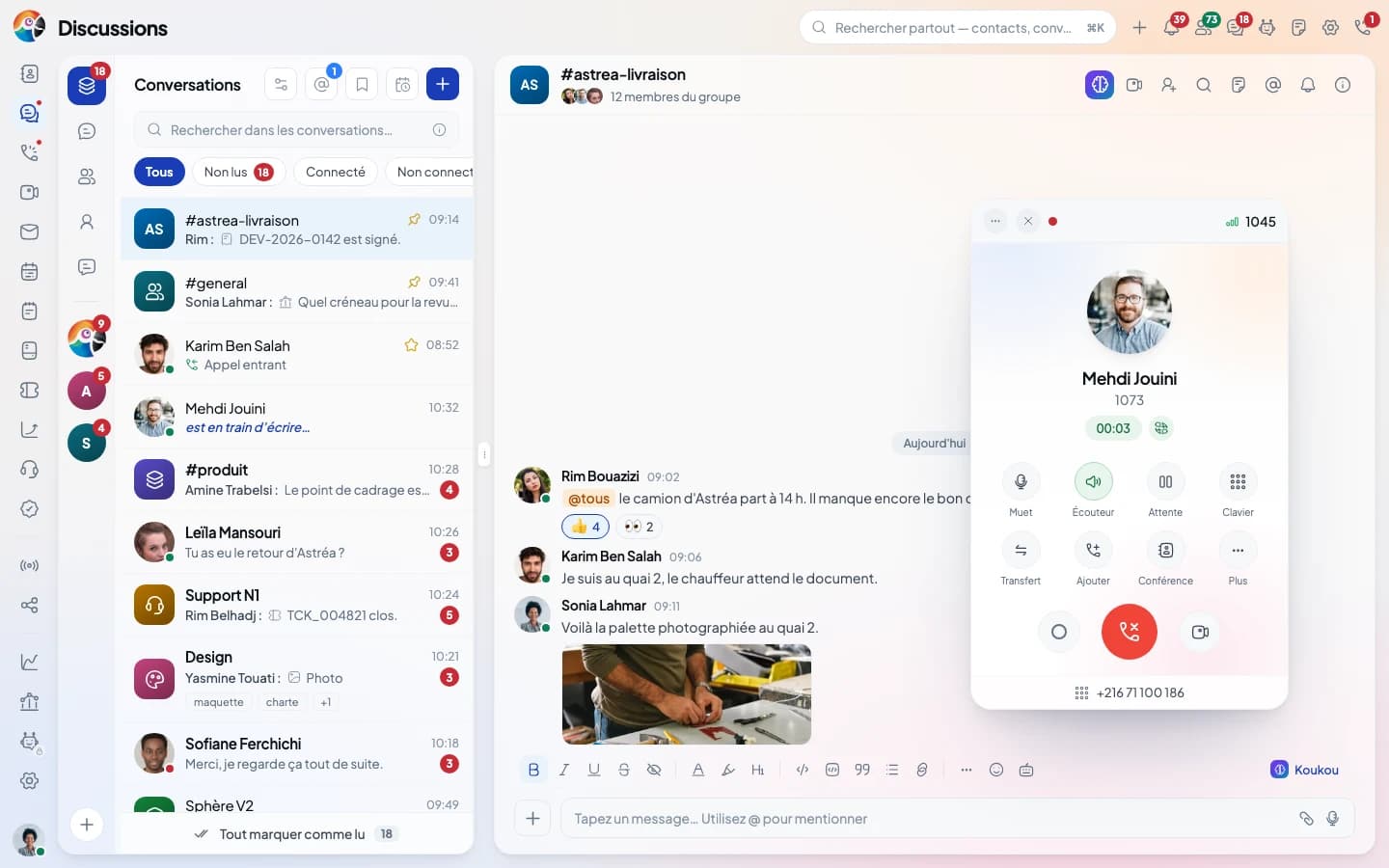
Mute, speaker, hold and keypad sit under the caller's photo. These four moves happen without hanging up.
Direct, the call goes straight away. Attended, you speak to the colleague first while the customer waits.
Live translation
You speak French, the other person hears you in their language. Turned on with your translation provider.
Display
The WebPhone stays open from one page to the next and comes to the front when a call arrives.
Folded, the panel becomes a bubble. It stays in the corner you chose and rings when a call comes in.
Unfolded, it moves by its bar and switches from compact to large.
During a call, the timer and controls move into the top bar.
 Settings
Mic, ringtone, voicemail and forwarding are set in the panel. The administrator keeps control of call recording.
Inventory
What exists is checked. What is missing, or only works under a condition, is written in gray.
Not yet, or under a condition
Questions
The answers stick to what the platform does today.
Comunik VOIP
Back to the business phone page: the phone system, the console and the devices.
Numbers, ring groups, queues and opening hours, set in the console.
The "press 1, press 2" menu, built block by block.
Every call with its outcome, its recording and the contact record.
Queues, agents and calls in progress, live.
The same extension rings on your phone, even when it is locked.
Your carriers, your numbers, and the route of every outbound call.
Your IP phone fleet, configured from the console.
Seven models, from the spare handset to the three-screen reception phone.
We show you the panel on a live call, with a transfer and a conference, then we look together at how to connect your numbers.