






Skip to content

By setup · Business phone system — Every call to the right desk.

Auto attendant, call queues, extensions and monitoring sit in one console, and your teams answer from the desk, the browser or their mobile.

Greet

A greeting that follows
your hours.

Each number leads where it should: a voice menu, a ring group, a queue or voicemail, depending on the time and day.

  • Direct numbers (DIDs) and their destination
  • Business hours and public holidays
  • Voice menu built from blocks
  • Flow tested before it goes live
  • Blocklist, with a caller tester
  • Custom music on hold

Route

No phone rings
into the void.

Calls are shared between the right people, and callers on hold know where they stand.

  • Ring groups: all at once or in turn
  • Queues: the distribution rule you choose
  • Colleagues and outside numbers in a queue
  • Overflow after a set wait time
  • Queue position announced to the caller
  • Conference rooms with a PIN

Answer

Pick up calls
in the browser.

The web phone opens inside Comunik Sphere: you call, transfer and take over a call with nothing to install.

  • Blind or attended transfer
  • Call waiting and call parking
  • Pick up a call ringing elsewhere
  • Forwarding: always, when busy, no answer
  • Do not disturb, in one click
  • Voicemail with a greeting recorded online

Monitor

The whole system,
live.

Managers see calls in progress, who is free and which queues are filling up, and can help a colleague without ending the call.

  • Calls in progress and everyone's status
  • Listen, whisper, barge in
  • Service level and threshold alerts
  • Wallboard mode for the team screen
  • Stats by queue, ring group and agent
  • Each manager sees their own team

Day to day

Nothing gets lost between calls.

Transcript Reread a call, word for word

A recorded call is transcribed on demand, line by line.

Summary The gist in three lines

The summary gives the customer's request, the tone of the call and the next steps.

Hours Public holidays are planned

Weekly hours and public holidays drive the voice menu, all year round.

Admin side

One console
for the whole system.

The administrator creates extensions, sets calling rights and tracks costs on their own, without calling in a technician.

  • Extensions created one by one or in bulk
  • Extension groups with inherited settings
  • Calling rights written in plain language
  • SIP trunks and outbound routes
  • Reserved emergency numbers
  • Recording per extension, with retention
  • Per-call billing and plans
  • Faxes received and sent

Desk, browser, mobile

One number,
wherever you are.

The desk phone, the browser and the mobile app share the same line.

  • Call, receive and find recent calls, even with the phone locked.
  • A call answered at the desk can move to the mobile, and back.
  • Recognized by model, they receive their settings and their keys.

The hardware

IP desk phones, ready to plug in.

  • The extra desk phone, no network socket needed. The same IP phone, where there is no network socket: it connects over Wi-Fi, 2.4 or 5 GHz.
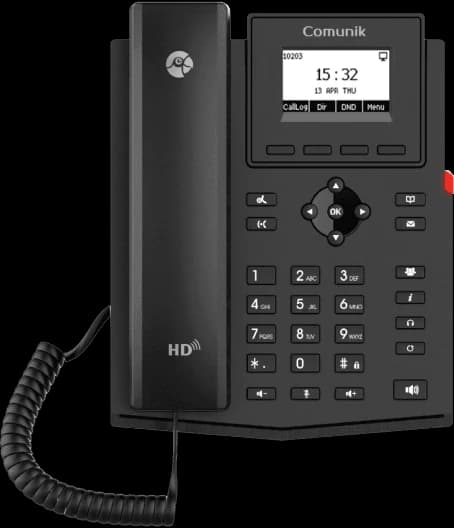
    The CMK12W IP phone, front view.
    • 2 SIP accounts
    • Wi-Fi 2.4 and 5 GHz
    • 132 × 64 screen
    • PoE
    View details
  • The phone you keep eight hours a day. The everyday work IP phone. Twelve lines, twenty-one programmable keys, dual-band Wi-Fi and Bluetooth.
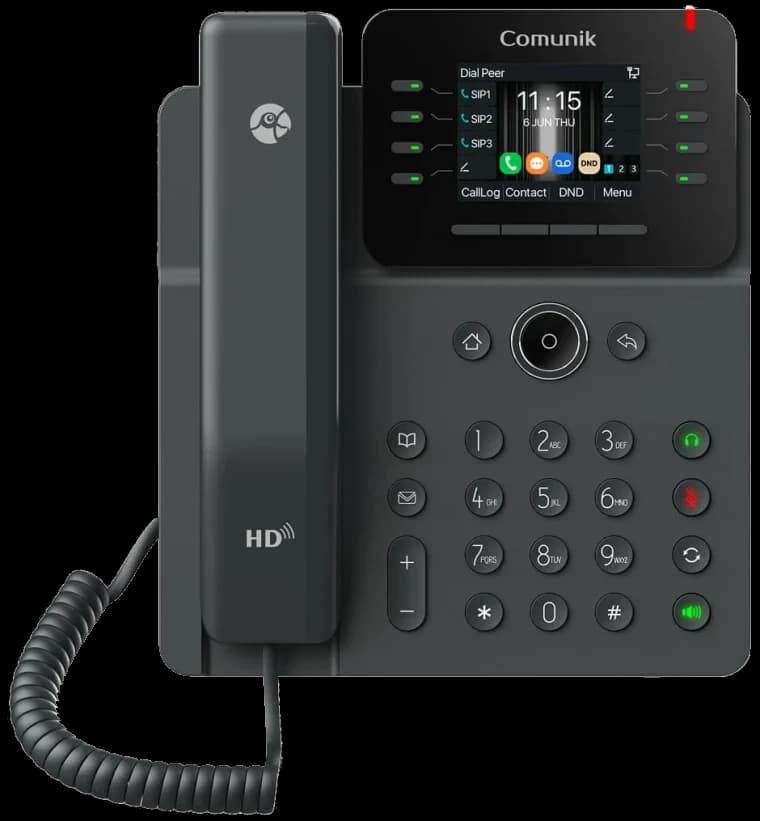
    The CMK14W IP phone, front view.
    • 12 SIP accounts
    • 21 BLF keys
    • Dual-band Wi-Fi
    • Bluetooth 5.4
    View details
  • Sixty-four keys, on a touchscreen. For whoever answers a lot and watches a lot: a 4.3-inch IPS touchscreen and sixty-four BLF keys.
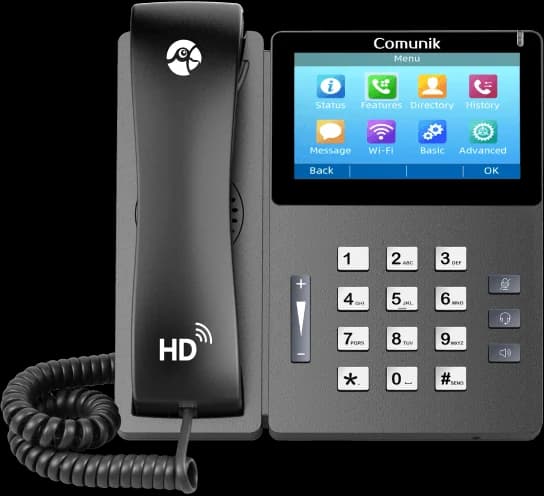
    The CMK15 touchscreen IP phone, front view.
    • 4.3″ IPS touchscreen
    • 10 SIP accounts
    • 64 BLF keys
    • PoE
    View details
  • Seven-inch touchscreen, running Android. An executive office phone: a seven-inch Android touchscreen, and an optional USB camera for video calls.
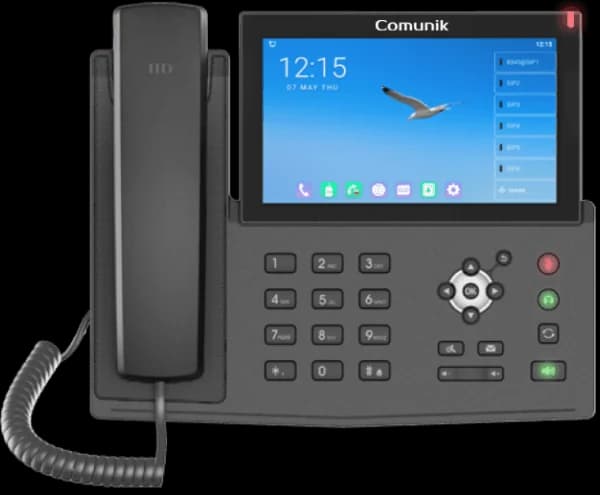
    The CMK17V IP phone with its large Android touchscreen, front view.
    • 7″ touchscreen
    • 20 SIP accounts
    • 112 BLF keys
    • Optional USB camera
    View details
  • Three screens, everyone in sight. The reception phone. Three screens and a hundred and six programmable keys: the whole building at a glance.
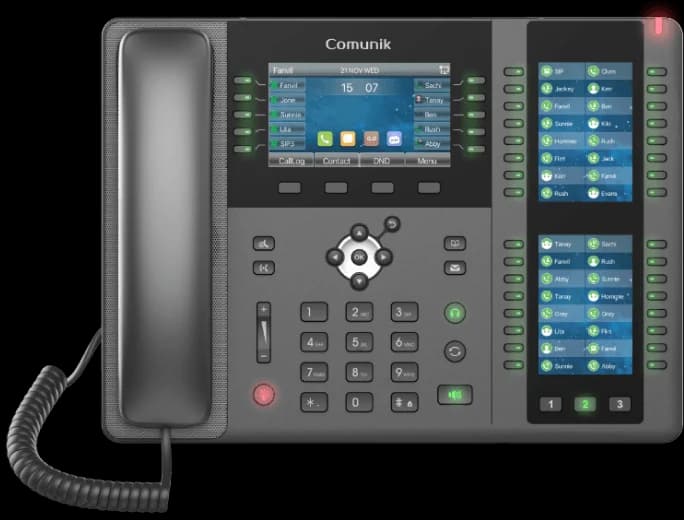
    The CMK20 receptionist IP phone with its two key screens, front view.
    • 106 DSS keys
    • 3 LCD screens
    • 20 SIP accounts
    • Bluetooth 2.1
    View details

Full feature list

What the phone system does.

The list of features, taken from the application.

Partial or in progressAlso in the mobile app

Inbound calls

  • Direct numbers (DIDs) and their destination
  • Business hours, holidays and closures
  • Block-based voice menu: menu, hours, queue, group, voicemail
  • Flow templates and testing before go-live
  • Sound library
  • Blocklist with caller tester
  • Music on hold, custom tracks
  • Custom system sounds

Routing

  • Ring groups: simultaneous or in turn
  • Paging across extensions
  • Queues: strategy, overflow, wait time
  • Internal members and outside numbers
  • Agent pause with a reason
  • Conference rooms with a PIN
  • Personal conference room

Each person's line

  • Web phone in the browser
  • Blind and attended transfer, three-way merge
  • Call waiting
  • Call parking
  • Pick up a ringing call
  • Speed dials
  • Choice of outbound number
  • Forwarding: always, when busy, no answer
  • Do not disturb
  • Voicemail and personal greeting
  • Voicemail PIN
  • Voicemail transcribed to text

After the call

  • Call history: missed, returned, not returned
  • Call record: path, transfers, duration
  • Notes and tags on a call
  • Link to a ticket or an opportunity
  • Call history export to CSV
  • On-demand recording during the call
  • Transcript and summary on demand
  • Transcript and analysis on every call

Monitoring

  • Live panel: calls, team, queues
  • Listen, whisper, barge in
  • Wallboard mode for a team screen
  • Service level, trends and alerts
  • Manager stats by queue, group, agent
  • Queue and ring group log

Administration

  • Extensions and devices, bulk creation
  • Extension groups with inheritance
  • Extension profiles
  • Calling rights in plain language, with an assistant
  • Call policies and refused calls
  • SIP trunks and outbound routes
  • Emergency numbers reserved by country
  • IP phones: profiles by model, CSV import
  • Secure TFTP server and access log
  • Per-call billing, rate grids and plans
  • Faxes received and sent
  • Technical call records (CDR)
  • Telephony-specific roles and permissions
  • Telephony diagnostics

Questions

Questions before you switch.

Talk to us about your setup.

Thirty minutes with an advisor: your numbers, extensions and hours, carried over into Comunik Sphere.