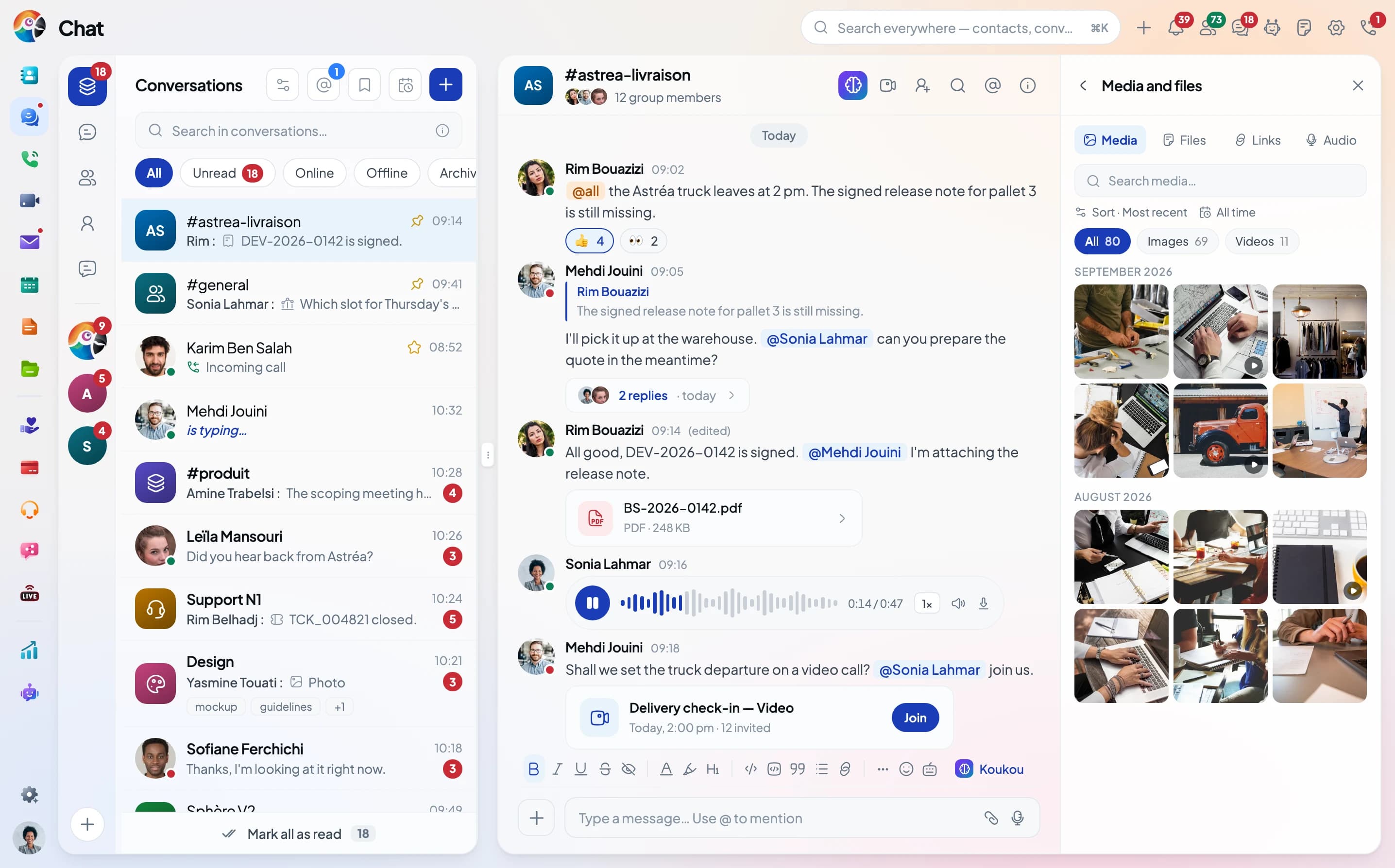
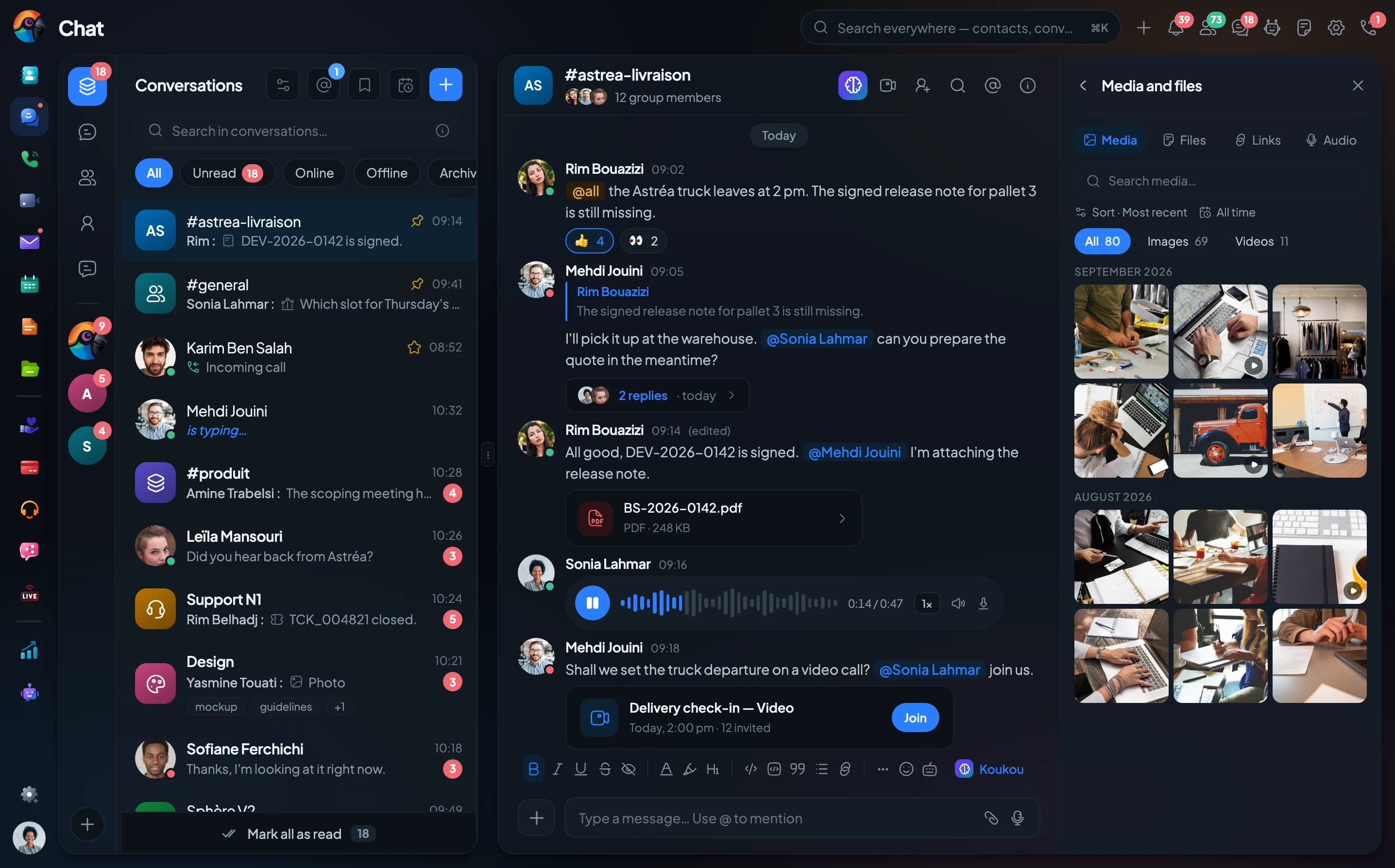
Comunik Sphere — Phone, chat, mail and CRM in a single space.
Calls, conversations, customers and invoices live in one place. Koukou AI summarises, searches and suggests in every application, with your rights.
























Trusted by























The problem
One tool per department. One Comunik Sphere.
Without Comunik Sphere
- Phone system, messaging, email, tickets and contacts: one tool per need, one account per tool
- A customer calls, writes, then follows up by email: three histories, in three tools
- Every tool has its own directory, its own permissions and its own invoice
- AI, when there is any, only sees one of those tools
With Comunik Sphere
- Telephony, teamwork, customer service and AI in one app, with one account
- One directory and the same permissions for every app: add a colleague once and reach them everywhere
- Start with the plan your team needs, add the others without switching tools
- Koukou AI works in Calls, Chat, Video and Mail
The catalogue
One platform. No application is an add-on.
Applications are grouped into offers, and all of them share the same directory, the same rights and the same session. A colleague added once to the directory can be reached everywhere: by phone, on Chat, on video or by email.
You start with the offer your team needs today, and add the others when the need comes. One sign-in, one administration, in the browser and on mobile.













By module
One offer for each need, all on the same platform.
Each tab shows what the offer contains and what it looks like in the app.
The switchboard, from desk phone to server.
The switchboard, queues, supervision and IP phones are set in one console. A call moves to the browser or mobile, on the same number.
- Business switchboardOpening hours, voicemail, forwarding and call groups
- WebPhoneCall from the browser, nothing to install
- Mobile appThe same extension and the same number, in your pocket
- IP phonesDeclared by MAC address, configured on their own
- ServersIn our cloud, on your premises, or both
- SIP trunks & numbersCarriers, inbound numbers, outbound routes
- Call log & recordingEvery call logged, recorded when switched on
- Voice menuA visual editor: hours, keypad menu, queues

Reach each other, and keep the thread.
Phone, chat and video in one place, with email, calendar, files and notes, in the browser and on mobile.
- CallsSoftphone, mobile, SIP desk phone
- ChatPublic and private channels, threads, mentions
- VisioGuests without an account, waiting room, screen sharing
- MailShared inboxes, assignment, ticket conversion
- CalendarTasks, meetings, reminders
- DriveFiles, versions, expiring links
- NotesMinutes, procedures, knowledge base
- BroadcastInternal or public live streams, moderated chat, replay

The customer, not the channel.
A ticket is more than a message: it follows a pipeline, with a deadline to meet and a full record, from first contact to the invoice.
- Comunik HelpDeskPipelines, SLAs, macros, AI copilot, CSAT survey
- Socials InboxWhatsApp, Messenger, Instagram, Telegram, website chat
- Comunik BusinessDeals in a pipeline, quotes, invoices, payment reminders
- ProjectsGrouped activities, computed progress, list, kanban, Gantt
- CampaignsEmail, SMS and WhatsApp sends to a segment, voice alerts, live tracking
- AppointmentsBooking page, availability, assignment, reception, oversight



The contact centre, from the call to the agent.
The voice menu answers the call, the queue hands it to an available agent, supervision follows every agent live.
- The voice menuA visual editor to draw the path of the call.
- Queues and agentsSales, Support: the call goes to the available agent.
- CampaignsLaunched and followed from Connect.
- SupervisionThe status of every agent, live.
- The agent interfaceThe record, the script and the call outcome in a single window.
- The live wallboardThe floor live on a big screen, in kiosk mode.
It summarizes, it answers calls, it acts in your apps.
Koukou summarises, searches and suggests a reply, with the rights of the person who asks. It is set application by application.
- The assistantIt searches, creates and files across your applications, with your rights.
- SummariesA mail thread or a call boiled down to the essentials.
- Suggested repliesIn Chat and Mail, you read before sending.
- Transcribed callsThe transcript, the summary and the sentiment of the call.
- Model levelFast, Balanced or Expert: you pick per request.
- Page actionsOn a ticket or a record, it suggests what can be done there.

Under the applications, shared by all.
The directory, statistics, dashboard, automation and settings are the same for every application: you set them once.
- DirectoryPeople and companies
- AnalyticsReports, per-metric goals, exports and scheduled sends
- DashboardYour day on one page: calls, tickets, calendar, numbers
- AutomationMacros, rules and triggers
- SettingsThe account, the team, permissions and configuration

Koukou AI
The KIT has its AI. It's called Koukou.
In Chat, Video, Calls and Mail, Koukou summarises and suggests a reply. From any screen, Koukou the assistant does what you ask, with your rights.
- A room caught up in one sentence
- A suggested reply, in the tone you pick
- The meeting minutes in the note
- The call transcribed, summarised, its sentiment
- The mail thread summarised, the reply ready
- The assistant files, creates and searches for you
On mobile
The same groups on iPhone and Android.
The Comunik Sphere app brings your groups, threads and files. Reply between two meetings, record a voice note, create a ticket.
The group, as on your desk
Photos, PDFs, mentions, reactions and threads: the web group, in your pocket.
A voice note without leaving the group
Record, pause, delete or send. Karim's voice note plays with its AI transcription.
A message becomes a ticket
Long-press the message, type a subject, and the ticket is created. The message stays linked to it.
Catch me up
Koukou sums up the messages you missed, over the period you pick. The summary can go into your reply.
Call from the conversation
The call button sits in the header. During the call, a banner stays on top and the conversation stays open.
Everything starts from the + button
Photo, document, voice, video, Drive file, poll, contact, event, ticket, opportunity or scheduled send.
A day in Sphere
From the morning dashboard to the end-of-day quote.
Five moments in a day at a distribution company. The day moves on by itself; pick a time to stop there.
 Dashboard
The morning dashboard
The team starts its day: missed calls, waiting tickets, upcoming meetings. It all fits on one page. Nobody opens five tools to know where to start.
Solutions by industry
The same product. Not the same day.




The hardware
The phone system lives in the cloud. The phones sit on the desks.
Seven IP phones, grouped by use. They set themselves up when plugged in and share the same directory.
The extra desk phone, no network socket needed. The same IP phone, where there is no network socket: it connects over Wi-Fi, 2.4 or 5 GHz.
View details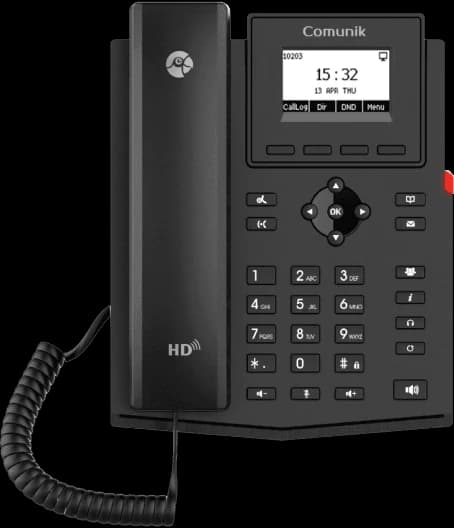
- 2 SIP accounts
- Wi-Fi 2.4 and 5 GHz
- 132 × 64 screen
- PoE
The phone you keep eight hours a day. The everyday work IP phone. Twelve lines, twenty-one programmable keys, dual-band Wi-Fi and Bluetooth.
View details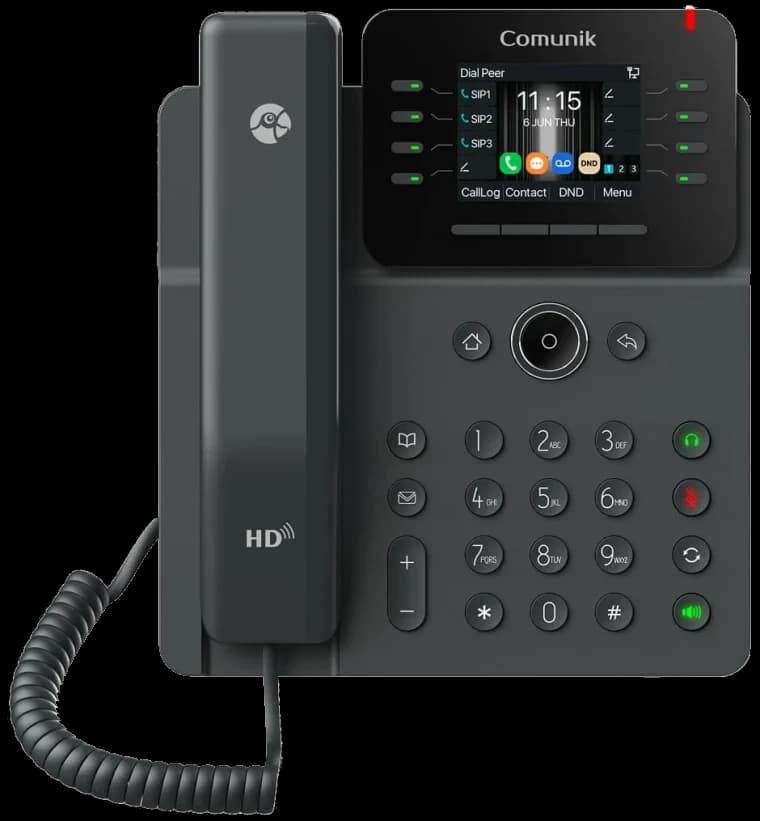
- 12 SIP accounts
- 21 BLF keys
- Dual-band Wi-Fi
- Bluetooth 5.4
Sixty-four keys, on a touchscreen. For whoever answers a lot and watches a lot: a 4.3-inch IPS touchscreen and sixty-four BLF keys.
View details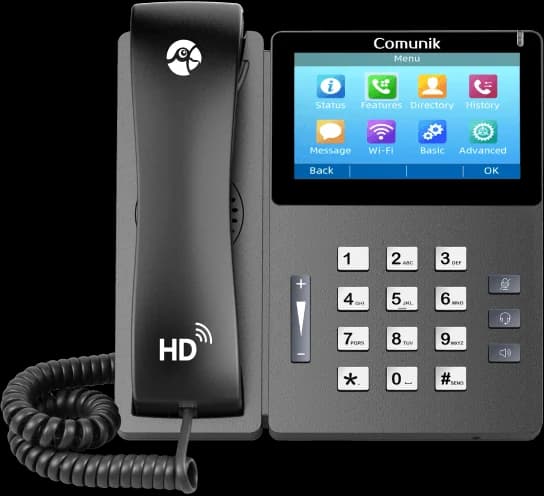
- 4.3″ IPS touchscreen
- 10 SIP accounts
- 64 BLF keys
- PoE
Seven-inch touchscreen, running Android. An executive office phone: a seven-inch Android touchscreen, and an optional USB camera for video calls.
View details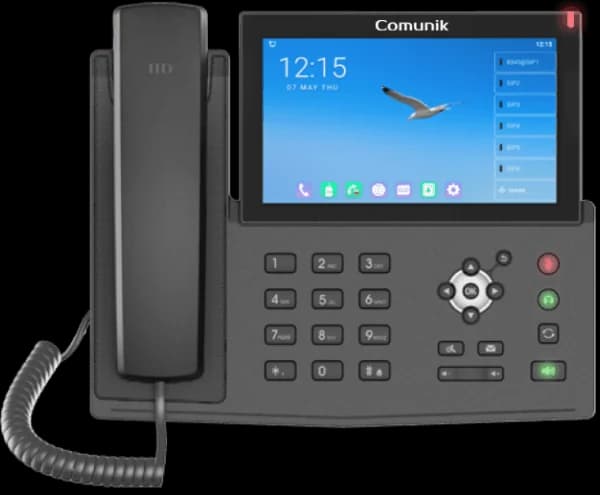
- 7″ touchscreen
- 20 SIP accounts
- 112 BLF keys
- Optional USB camera
Three screens, everyone in sight. The reception phone. Three screens and a hundred and six programmable keys: the whole building at a glance.
View details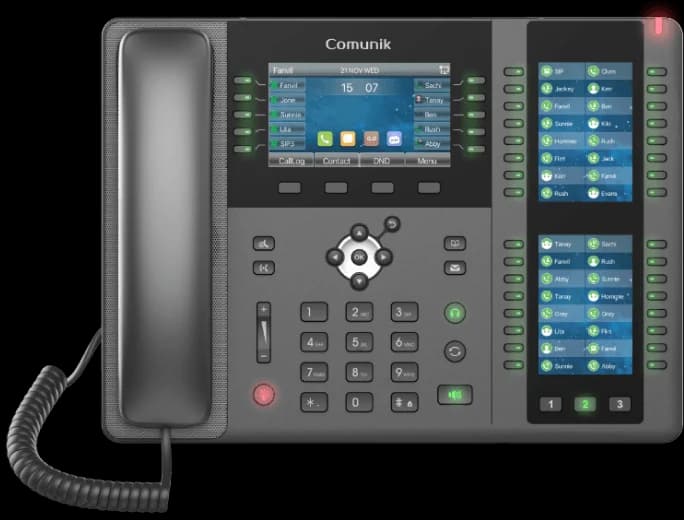
- 106 DSS keys
- 3 LCD screens
- 20 SIP accounts
- Bluetooth 2.1
Security and compliance
Your data, protected, wherever you decide.
You choose where your data lives: the Comunik cloud, a dedicated cloud in the country you pick, or your own hardware. The interface runs over TLS 1.3 and calls over SRTP, with two-factor sign-in and SSO. The management system is certified ISO/IEC 27001 and ISO 9001.
- ISO/IEC 27001Information security
- ISO 9001Quality management
- Hosting of your choiceCloud, dedicated or on-site
- TLS 1.3Encrypted interface
- SRTPEncrypted calls
- 2FA and SSOProtected sign-in
Protected at every step
The interface runs over TLS 1.3, calls over SRTP. Two-factor sign-in, SSO, and end-to-end encryption in Chat, room by room.
See the measuresHosted where you want it
On the Comunik cloud, on a dedicated cloud in the country you choose, or on your own hardware. The interface stays the same.
Talk about your hostingISO 27001 and ISO 9001 certified
Audited by TÜV Rheinland. Both certificates can be checked in the certifier's public register.
Check on Certipedia
Questions
What we are asked before getting started.
No answer here? Write to us: we answer yes or no, never maybe.
Resources
Everything to get started and go further.
Help center
Step-by-step answers, sorted app by app, and the Academy to learn.
Getting started
The ten things to know in your first week, one per app.
Switching phone systems
How moving from your current phone system to Comunik Sphère works.
Blog
Our articles on telephony, teamwork and AI.
By industry
How teams in your sector organise their work with Sphere.
Contact us
A question before you start? The team will answer.
One space for the whole team. Try it on your calls.
Phone, chat, video, mail and tickets in the same window. See the price of each plan on the Pricing page.